
Corporate Library (DMS)
Centralize all company documents in one place. Smart search, automatic versioning, governance, and full access control.
Guided demo, no commitment.
GED at Vindula
What the DMS is in Vindula
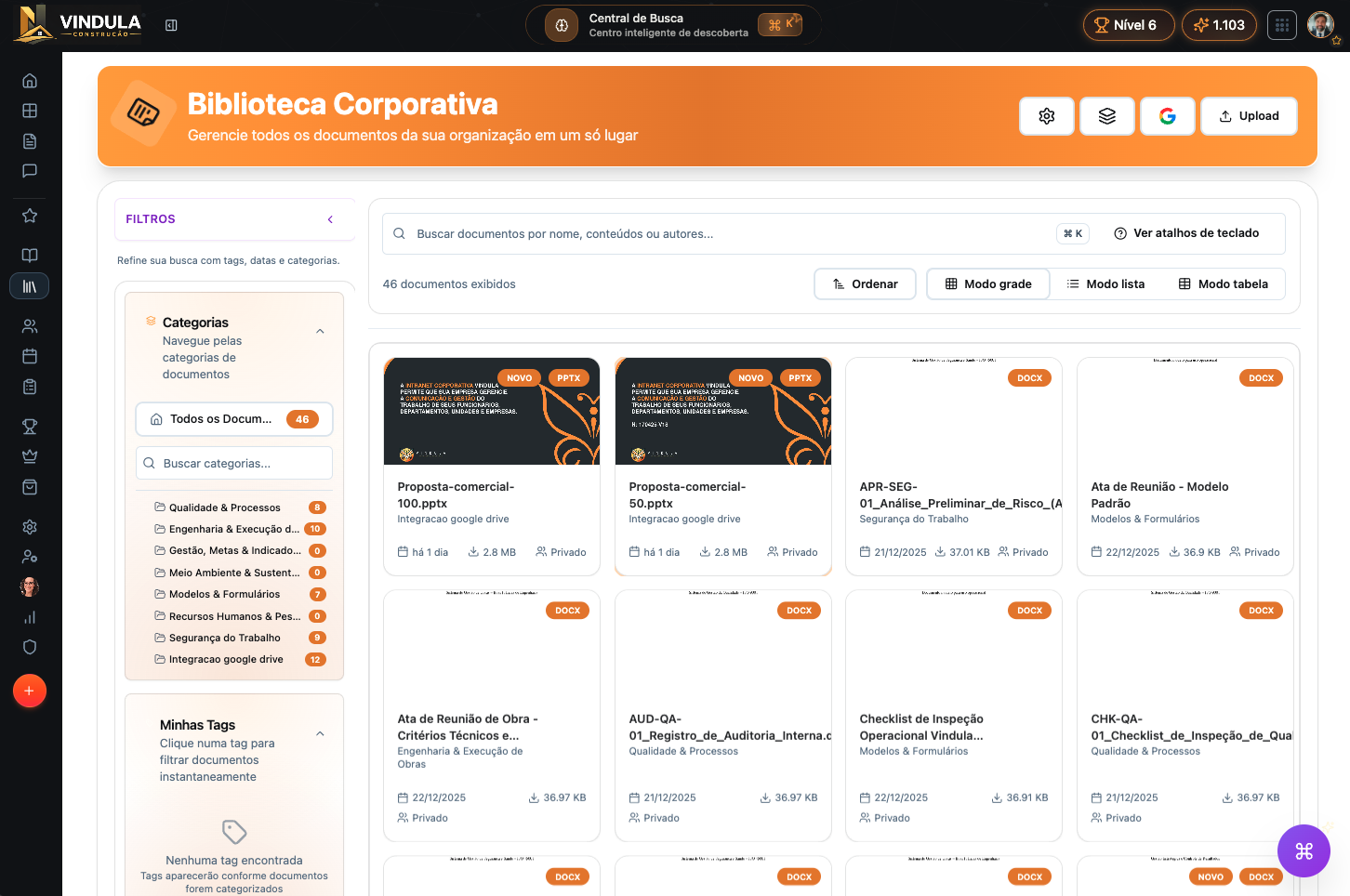
Vindula's DMS organizes corporate documents in a central repository with access control, versioning, validity, and traceability.
It ensures policies, manuals, procedures, and templates are always accessible and in the correct version, linked to the company's organizational structure.
Vindula's DMS centralizes official documents with access control, versioning, and validity. Everything stays in the right version — with traceability for audits and compliance.
Guided demo, no commitment.
How it works in practice
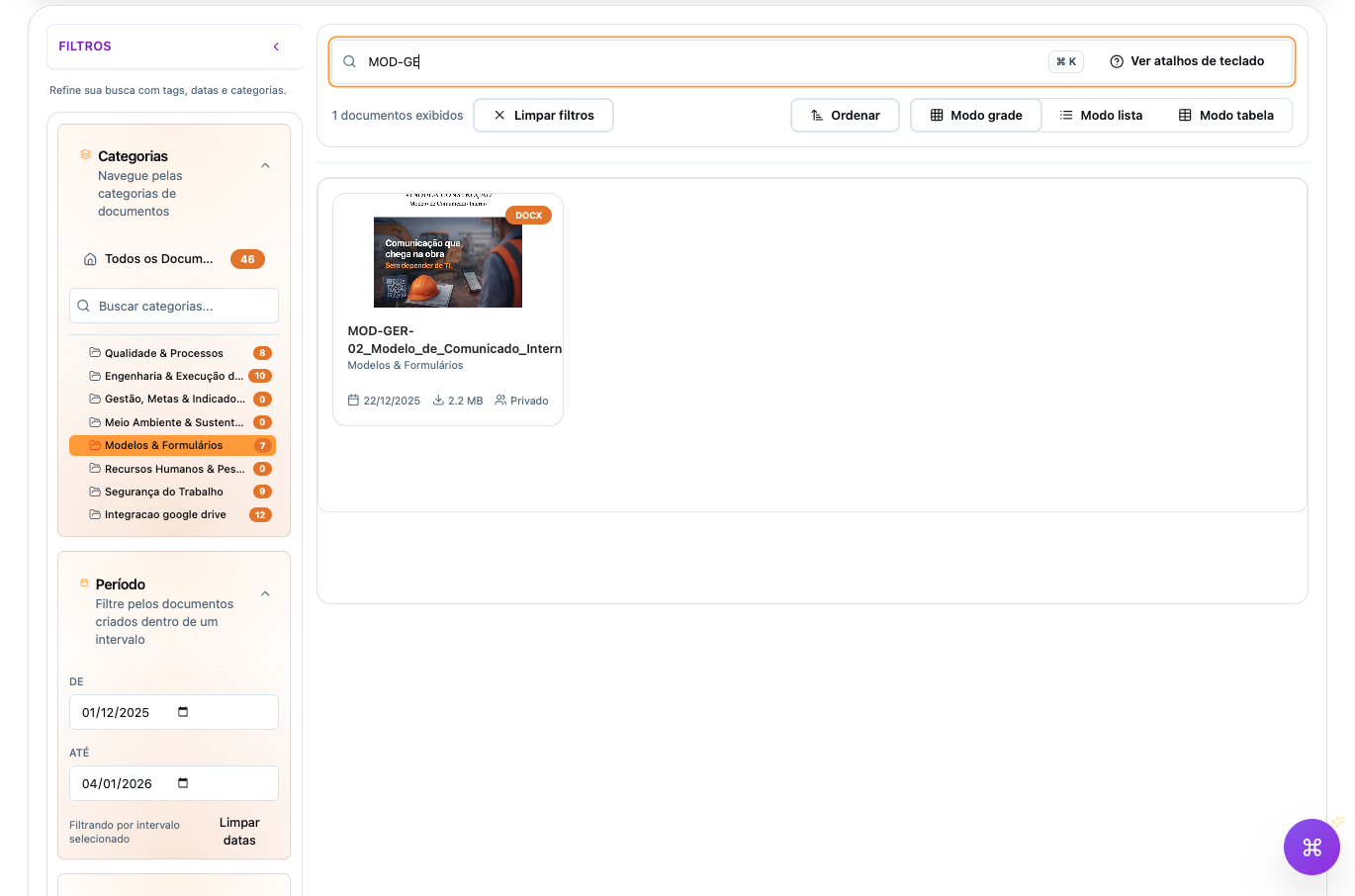
Documents are organized into collections, categories, and tags, with custom fields and permissions by audience.
Unified search makes it easy to find official documents and reduces duplicates and outdated versions.
Organize documents into collections, categories, and tags with custom fields. Unified search finds the right document — with controlled access.
Collections: quick access by context
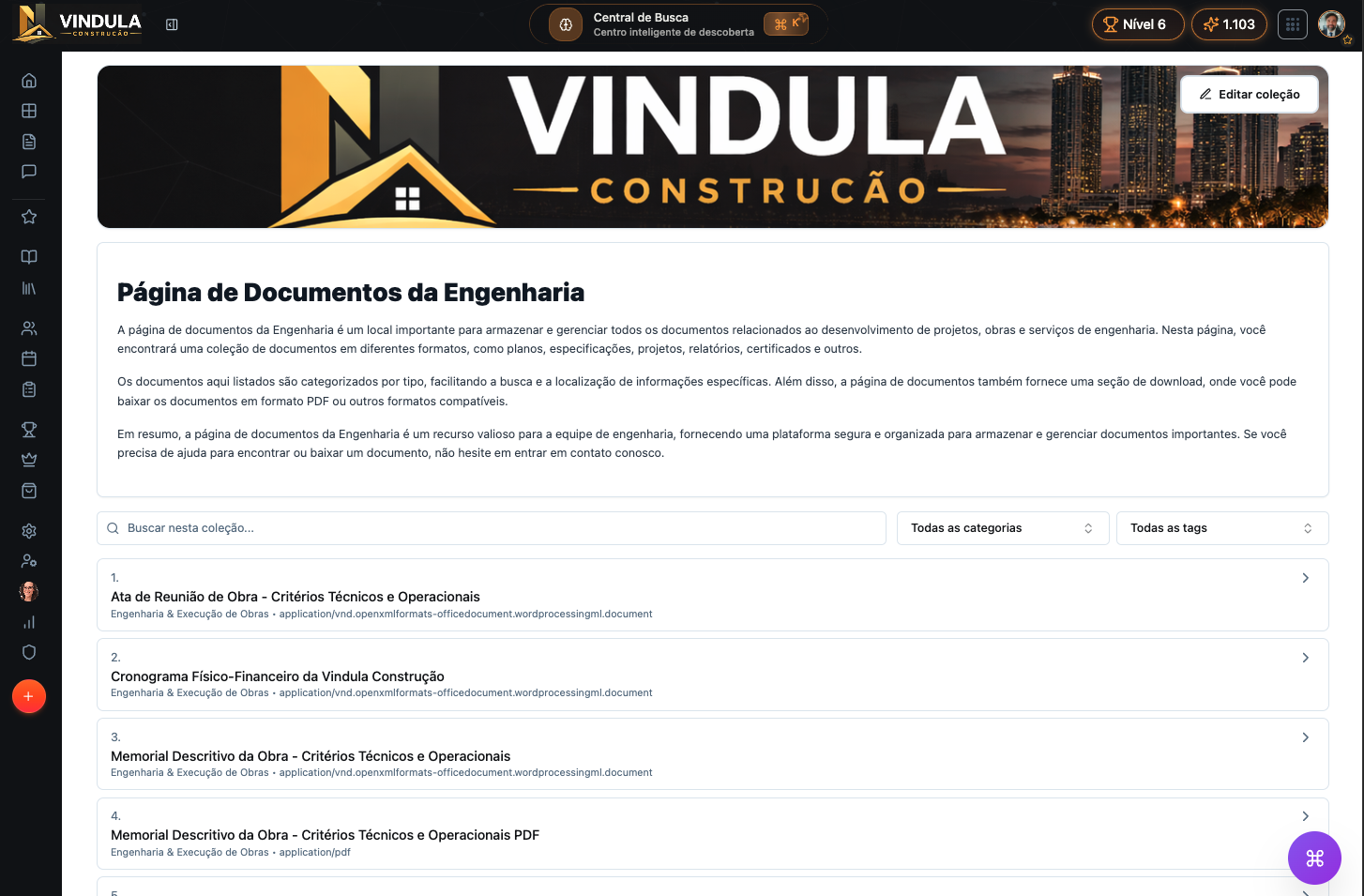
Collections are dynamic pages that group documents by usage context, not fixed classification.
You link documents or categories, and the collection updates automatically as files are added or changed.
Use collections to centralize documents that belong to multiple categories, are part of the same process, or need recurring access.
Collections are dynamic pages that group documents by use. They update automatically based on linked documents and categories.
- Centralize documents that appear in multiple categories
- Create pages by process (audit, onboarding, engineering)
- Ensure fast, recurring access
Governance, validity, and evidence
The DMS keeps full version history, validity rules, and records of relevant actions.
When applicable, documents can require read and acceptance, keeping per-employee status and history for audits.
Version history and validity ensure traceability. Read/acceptance (when applicable) keeps evidence for audits.
Advanced Library settings
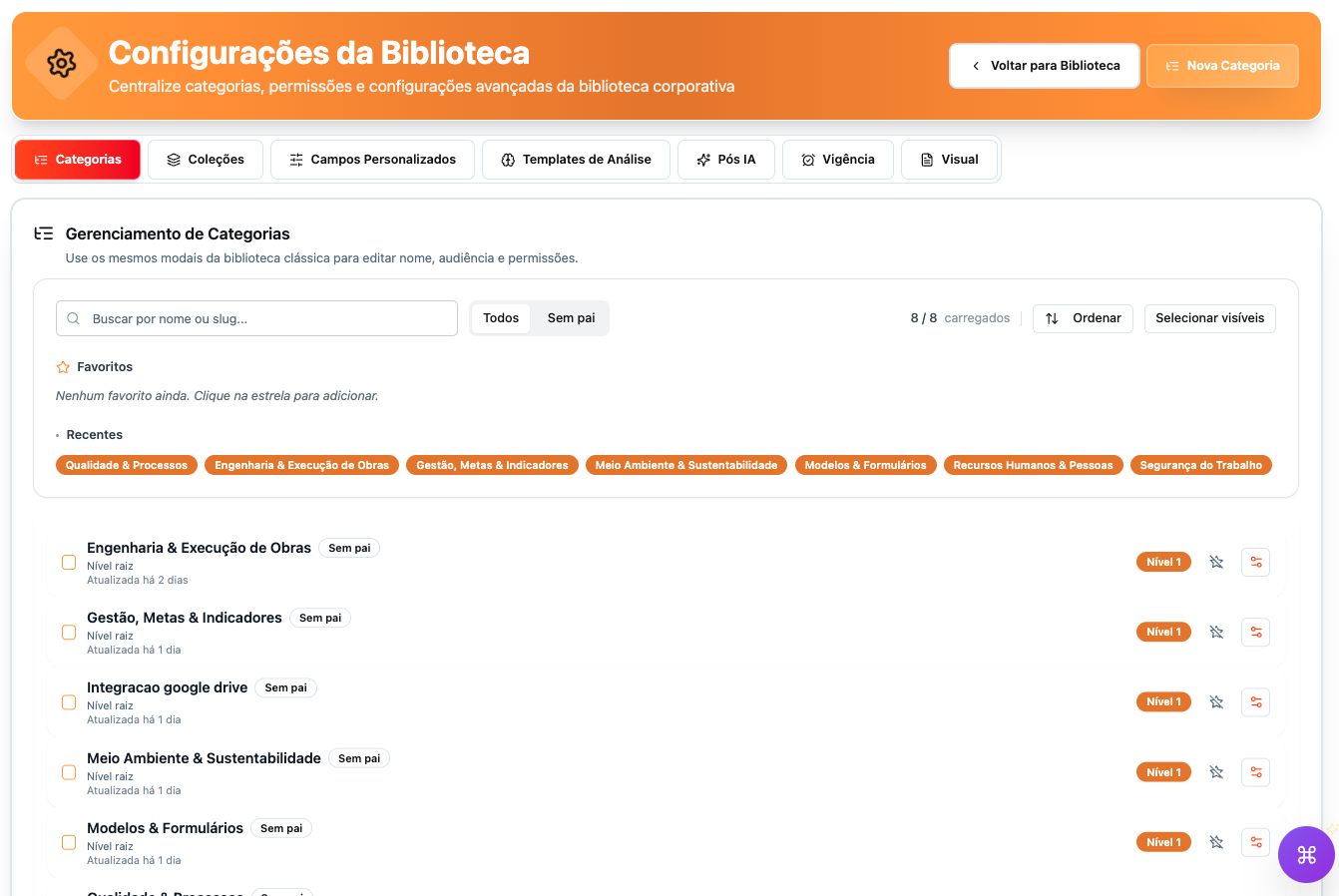
The library has a full configuration layer: categories, collections, custom fields, validity, and access rules.
This lets you adapt the DMS to the company's reality without losing standardization.
Advanced configuration to adapt the DMS to your operation: categories, fields, validity, and permissions.
- Categories and subcategories
- Collections
- Custom fields per document type
- Validity and expiration rules
- Permissions by audience/role
- Visual preferences
AI analysis and post-processing (optional)
AI can analyze documents and extract structured metadata, with explicit rules and limits defined by the company.
Use analysis templates (e.g., LGPD) and post-processing to suggest titles and fill fields, respecting privacy and sensitive category blacklists.
Optional AI for analysis and metadata extraction, with defined rules and limits. Templates (e.g., LGPD), field filling, and suggestions — with privacy and blacklist.
- Analysis templates (e.g., LGPD)
- JSON metadata extraction
- Title and field suggestions
- Sensitive category blacklist
Google Workspace integration (Google Drive)
The DMS integrates natively with Google Workspace (Google Drive), syncing documents without losing control, versioning, and traceability.
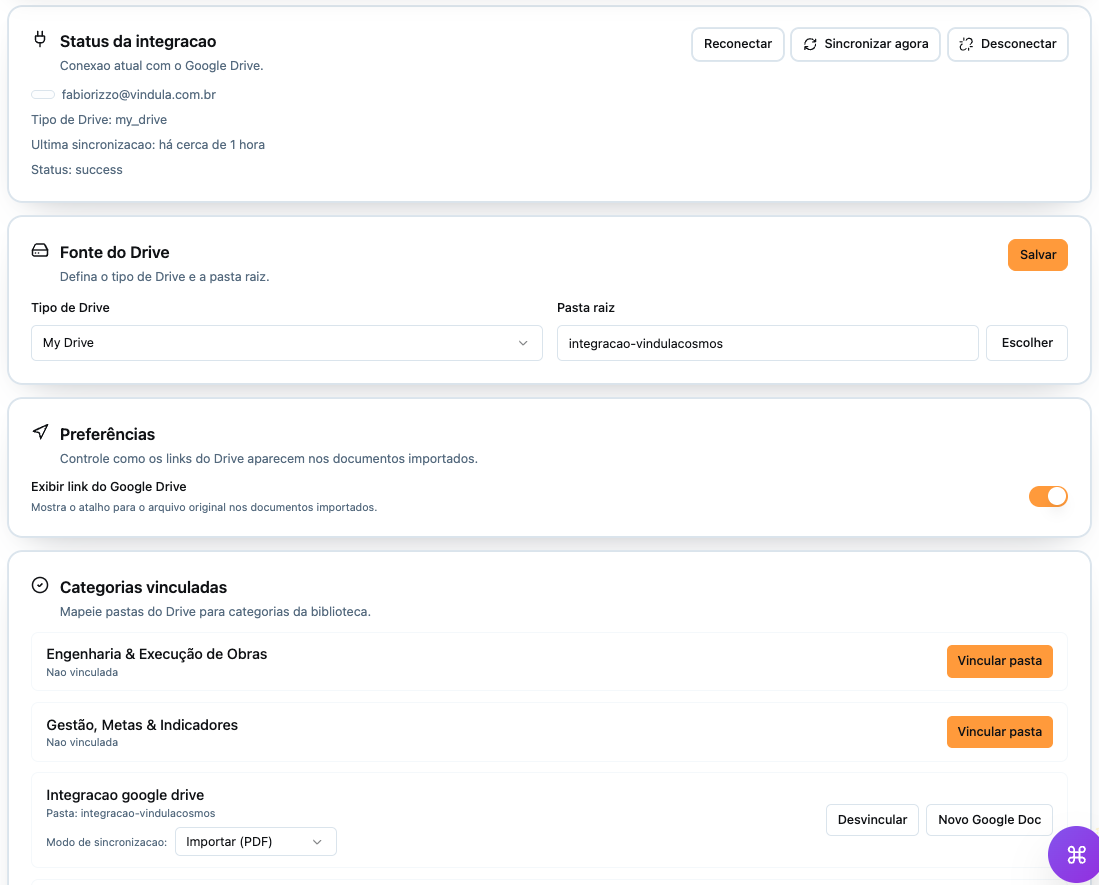
Define a root folder, map Drive folders to GED categories, and sync automatically. Optionally, show the link to the original file.
Native integration with Google Drive, keeping governance and versioning. Map Drive folders to categories and sync automatically.
- Define root folder
- Map folders → categories
- Sync automatically
- Link to original file (optional)
DMS features
Document library (Library v2)
Dynamic collections
Categories, tags, and custom fields
Validity and expiration control
Automatic versioning
Unified search
Permissions and access control
Read evidence (when applicable)
AI analysis and post-processing (optional)
Google Workspace integration
Who it's for
Google Workspace integration (Google Drive)
Root folder in Drive
Define a root folder for sync.
Category mapping
Map Drive folders to library categories.
Automatic sync
Documents updated in Vindula without manual work.
Traceability in the DMS
Versioning and history stay in the DMS.
Link to the original file
Optional display of the direct Drive link.
Vindula GED differentiators
- Right document, right version
- Native traceability and history
- Objective evidence when needed
- Advanced configuration without losing standardization
- Google Drive integration without losing control
FAQ
Does the DMS replace shared folders and external drives?
Yes. It centralizes official documents with version, access, and validity and can integrate with Google Drive when needed.
Can you control who accesses each document?
Yes. Access is defined by permissions, audiences, and organizational rules.
Is there version history?
Yes. Every change generates version history, with a restore option.
Is Google Drive integration mandatory?
No. It is optional and configurable according to the company's policy.